Monitoring Elderly Parents
See how email notifications can help families check outings and returns for elderly parents living separately.
WatchAcross Email is a monitoring support app that detects whether the device is outside or inside registered areas and sends email notifications to preset addresses.
Because notifications are sent by email, they can be checked not only on smartphones but also on PCs. This makes it easier for multiple family members to share monitoring information.
The Auto-start Timer can begin monitoring at a specified time each day, while datasets let you save and switch area information and monitoring settings for different purposes.
Explore typical situations where WatchAcross Email can support family monitoring.
See how email notifications can help families check outings and returns for elderly parents living separately.
See how registered areas and email notifications can help confirm arrival at or departure from school and home.
See how the app can help confirm arrival at or departure from hospitals, clinics, and care facilities.
Version 2 makes remote family monitoring and purpose-specific setup easier to continue every day.
Monitoring can start automatically at a specified time each day. The monitored person does not need to tap Start every time, making the feature useful for family members who live apart.
* Auto-start may not work if the app is force-quit.
Each dataset can store both location-area information and monitoring settings. Quickly switch between optimized setups for home, school, work, hospitals or care facilities, travel, and other purposes.
WatchAcross Email is not designed for continuously viewing someone's location. It is designed to detect the relationship between the current GPS location and registered areas, then send email notifications when needed.
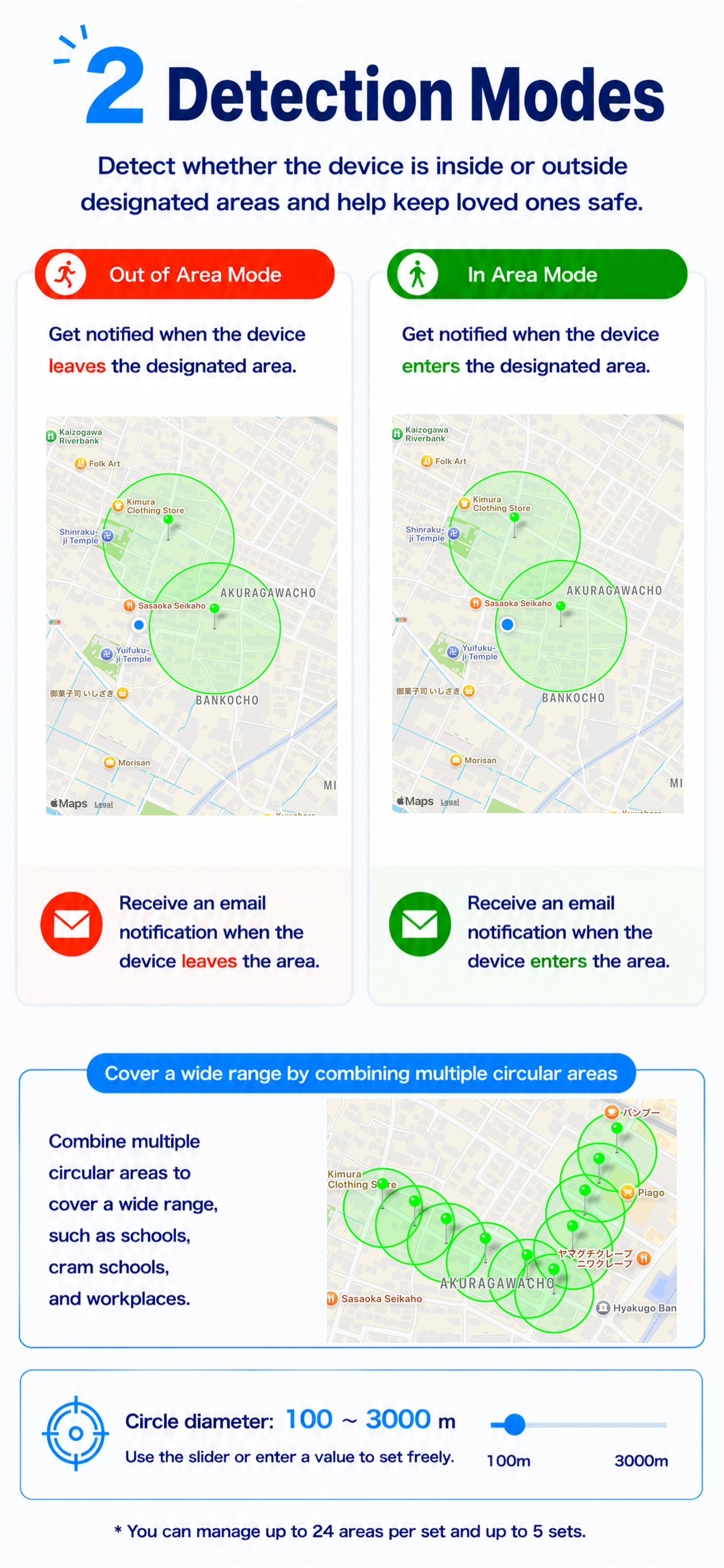
Receive an email when the device moves outside a registered area or returns to it. This can help families check outings from a distance.
Register areas such as home or school and receive notifications when the device enters or leaves those areas.
Email notifications make it easy for multiple family members to check the same notification on smartphones or PCs.
The Auto-start Timer can begin monitoring at a scheduled time without requiring the monitored person to start it manually every day.
Sends a notification when the acquired GPS location is judged to be outside the registered area. A return notification can also be sent when the device returns to the registered area.
Sends a notification when the acquired GPS location is judged to be inside the registered area. This can be used to confirm arrival at a specific location.
Notifications are sent by email. Family members do not need to install the app as long as they can receive email.
Notification emails can include Google Maps links to help check the location from the message.
Starts monitoring automatically at the specified time each day, supporting monitoring routines where daily manual operation is difficult.
Saves area information and monitoring settings for each purpose, allowing quick switching among home, school, work, facilities, travel, and other setups.
The free version allows users to try the basic monitoring features. Notification count and continuous notification features are limited.
The subscription version enables more continuous monitoring notifications. Please check the App Store page for the latest details and pricing.
* Actual terms, pricing, and subscription details are shown on the App Store page.
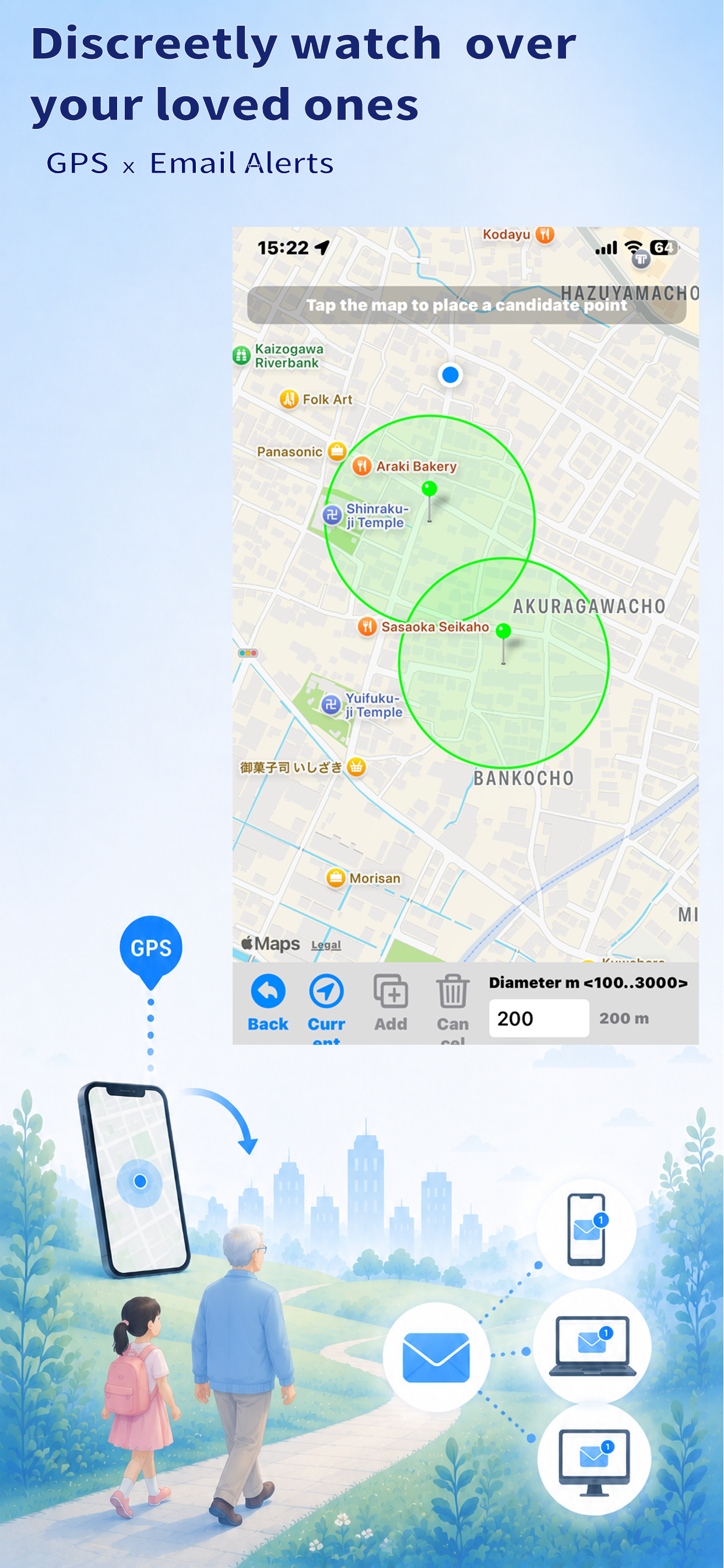
GPS area detection and email notifications for family monitoring.
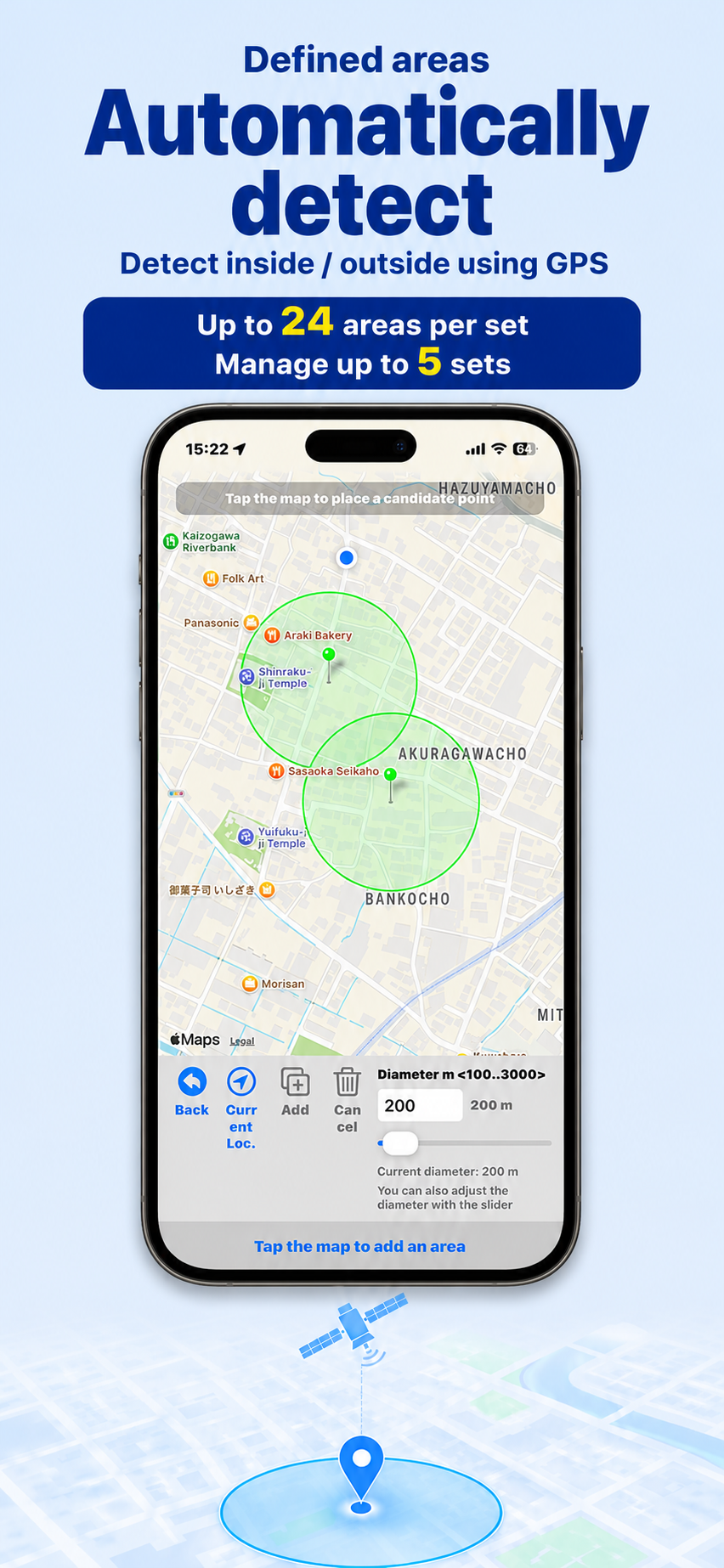
Register monitoring areas for detection.
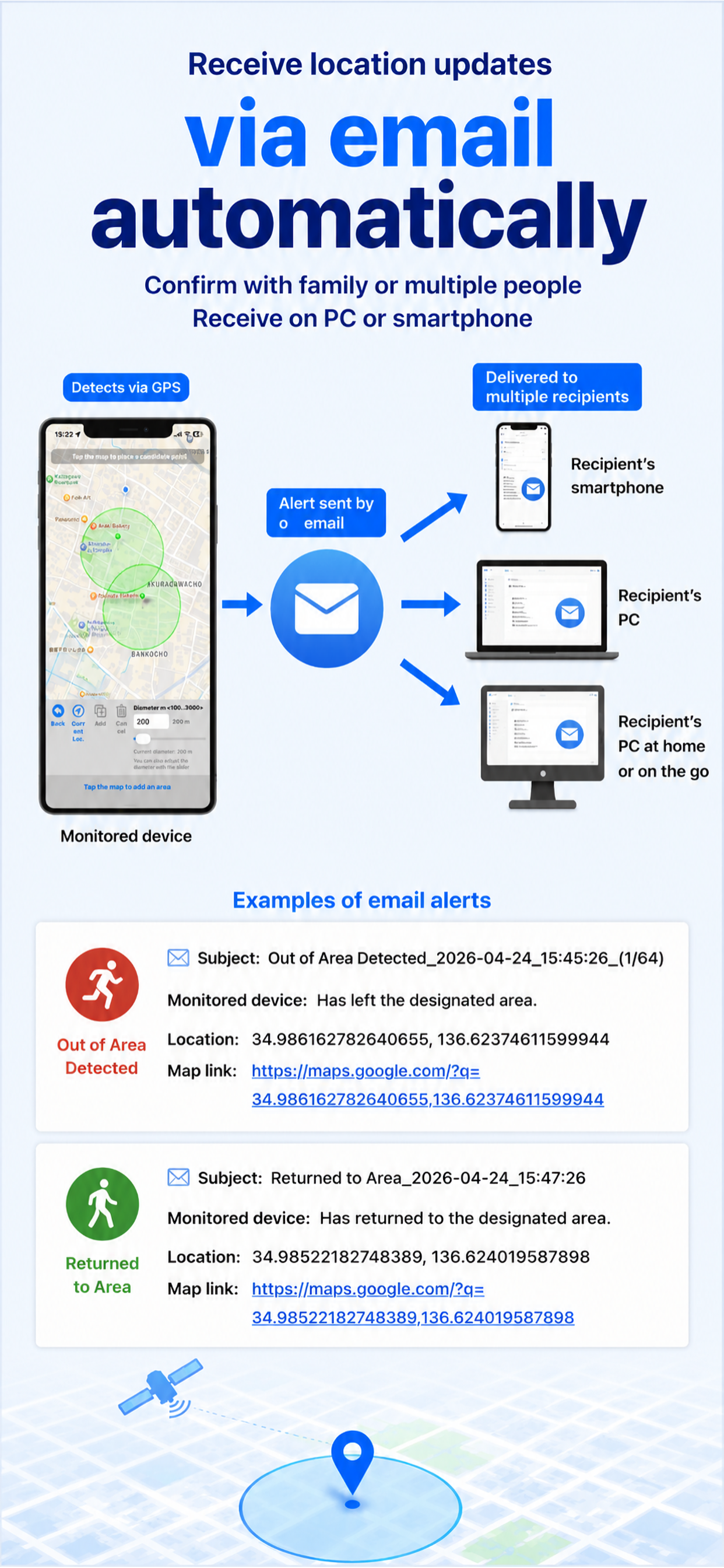
Receive email notifications when an area event occurs.
Guidance from initial setup to monitoring start.
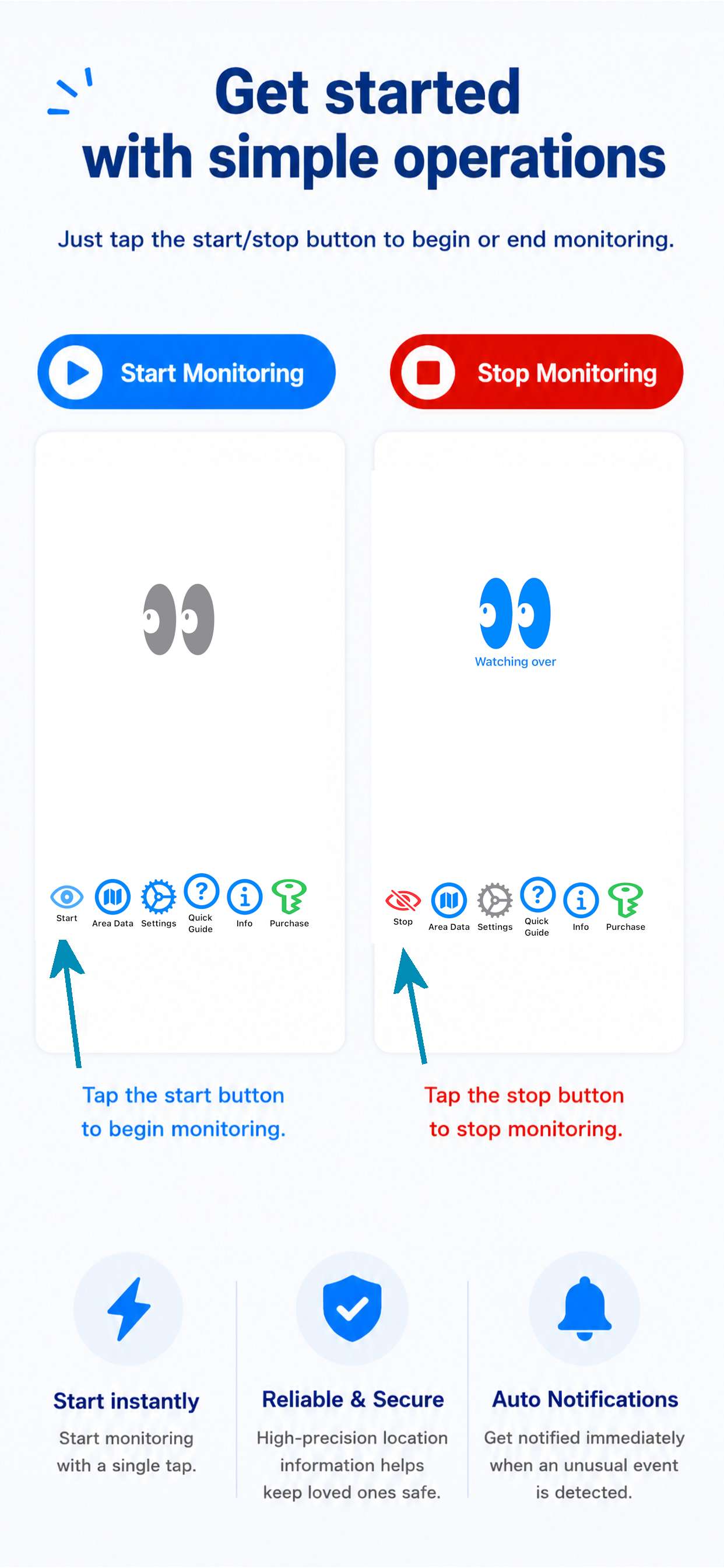
Simple screen design for easy operation.
Free version limitations and subscription information.
* The screenshot images are temporary copies. Replace them with English App Store Connect screenshots when available.
Notifications are sent to the email addresses configured in the app. This makes it easier for multiple family members to check the same information.
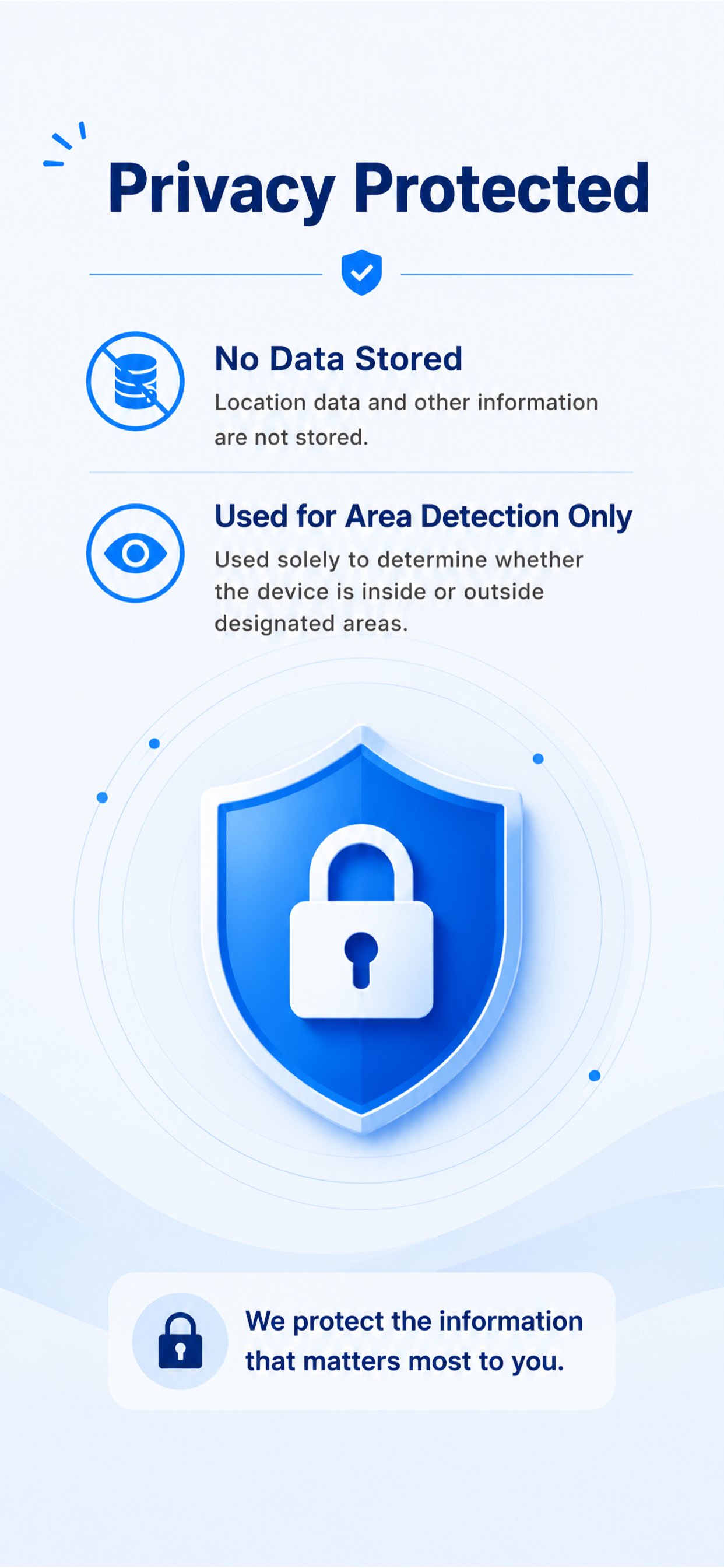
Location information is used for area detection and notification. Please see the privacy policy for details.
The app works according to iOS location permission and background operation conditions. Please follow the in-app setup guidance for stable operation.
Please see the user guide.
Please check the App Store page for the latest price, subscription terms, supported OS information, and other details.